Page 1 of 2

SSTSIM in FSX

Posted: 17 Sep 2007, 23:41
by John
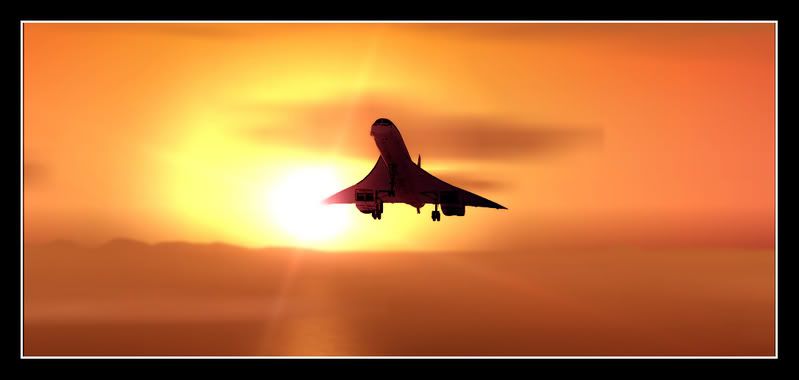
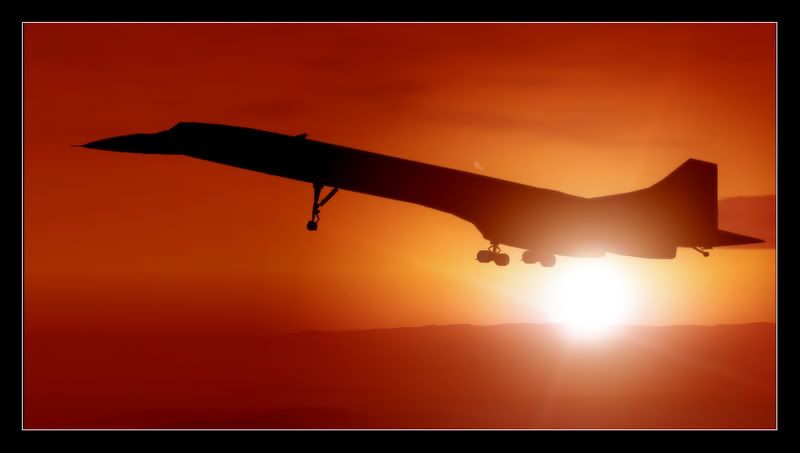
With my FS9 totally buggered! I thought I'd do some edits in Hanna Barbera's (sorry Microsoft's) FSX

Image
Image

John

Re: SSTSIM in FSX

Posted: 17 Sep 2007, 23:51
by DaveB
:lol: :lol: :lol:

A good analogy John (no apology to current 'X' devotees) :lol: Nice shots though ;-) Mastering the SSTSIM is one of the things on my 'List of things to do before you die' :D

ATB

DaveB :tab:

Re: SSTSIM in FSX

Posted: 17 Sep 2007, 23:56
by Garry Russell
Hi John

You'll have to sign off

"That's all folks"

:lol: :lol: :lol:

I love that second one..well both a great but that one is better.......

Concorde itself is a bit clean and featureless so it needs drama in the background.

In that second one I get a sense of serenity yet power...nice one :thumbsup:

Garry

Re: SSTSIM in FSX

Posted: 18 Sep 2007, 01:16
by FlyTexas
Beautiful pics, John. :)

Brian

Re: SSTSIM in FSX

Posted: 18 Sep 2007, 07:52
by Trev Clark
As always, great shots! However I have never managed a good clear and dramatic screenshot in FSX without it looking like a cartoon........that is the problem :dunno:

Re: SSTSIM in FSX

Posted: 18 Sep 2007, 08:39
by DaveB
I think you summed it up nicely there Trev!! It's not you, it's the sim (cartoon) :lol:

ATB

DaveB :tab:

Re: SSTSIM in FSX

Posted: 26 Sep 2007, 00:56
by Sl4yer
Nice shots John.

Having seen this, and having today watched some of a video of a Concorde flight from the cockpit, I resolved to give SSTSIM another go. Same as with DaveB, it's something I've always resolved to do since I paid for the damn thing, but it ain't easy. However, I figured TrackIR might help.

I first find that the config utilities won't work. Some just do nothing, one says it can't find the path to FS2004. Odd... :dunno:

I load FS2004, and go direct to the aircraft. Click the 'Fly' button, and SSTSIM pings an error in the background. The sim then crashes. But no matter, I've got all the original files, and I'll just reinstall it.

I run the installer, and it directs me to find the licence key. No problem! Then it demands the last 4 digits of the credit card I originally used for the purchase... Now, this might confuse many at the best of times, but I've got no chance. I bought it with my Cahoot webcard, and since my (plastic) card was compromised a few weeks ago while I was away, all webcard history has been cancelled with the physical card! So I can't find the card number. I've tried a replacement key, to no avail. My only option is to await Flight1.com's customer service, by which time the moment (and opportunity) will have passed.

Sorry for the rant. I'm all for suppliers protecting the software they sell, but when I've got a licence key, an order number and a purchase certificate, AND installation has to be verified online, why should I need the details of a two year old credit card?! It's enough to drive one to piracy.... :'(

I'll have to find another challenge for tonight. Alpha TSR2 in FSX maybe? [FS98 gauge errors, here we come!]

James
Re: SSTSIM in FSX

Posted: 26 Sep 2007, 01:05
by DaveB
That is not a rant but a very fair comment James. What do all credit card companies advise you do to your old card when it expires.. DESTROY IT!! :dunno:

ATB

DaveB :tab:

Re: SSTSIM in FSX

Posted: 26 Sep 2007, 01:17
by TSR2
Have to agree with DB, although I have no problem with this particular model, this nonsense of the last 4 digits is a nightmare. I had exactly the same promblem the day I cut my card up, and had to go "bin hoking" to work out the last 4 digits... (now duely recorded with license key.)

Re: SSTSIM in FSX

Posted: 26 Sep 2007, 10:13
by John
I've sure you've done it already, but if not just post over at http://www.sstsim.com and I'm sure they'll try and help. I've found them to be great like that

Kind regards

John