AI-traffic in FSX

Links to Classic British Flightsim themed images only please.
Please post in jpg or png format and no bigger than 1024 x 768

Moderators: Guru's, The Ministry

User avatar
DanKH
Battle of Britain
Battle of Britain
Posts: 3526
Joined: 02 Dec 2004, 10:53
Location: EKCH, Denmark
Contact:

AI-traffic in FSX

Post by DanKH »

Image

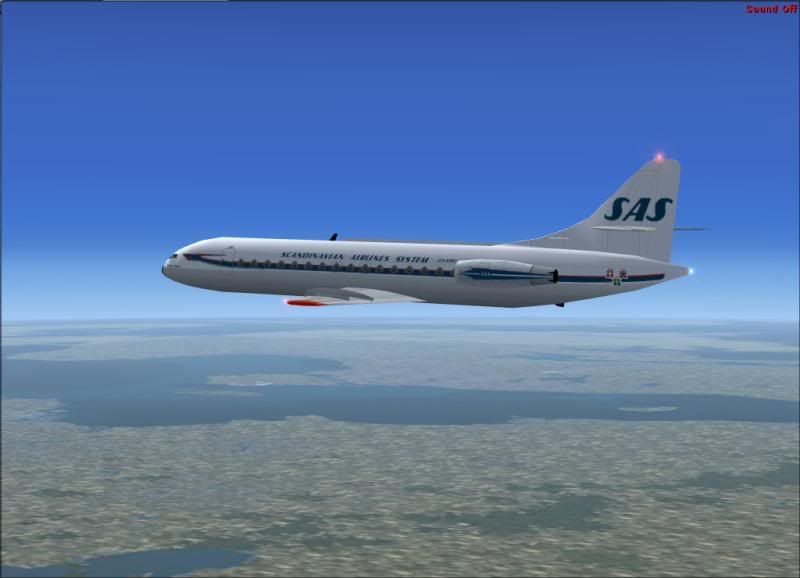
To me it looks pretty good....


EDIT: Forgot a 'f' .... :$
Last edited by DanKH on 19 Sep 2007, 07:39, edited 1 time in total.
Best Rgds
Dan
Image
Image Image
Who's General Failure, and why is he reading my harddisk?

User avatar
Garry Russell
The Ministry
Posts: 27180
Joined: 29 Jan 2005, 00:53
Location: On the other side of the wall

Re: AI-trafic in FSX

Post by Garry Russell »

Looks good to me too Dan :)

Garry
Garry

Image

"In the world of virtual reality things are not always what they seem."

User avatar
DanKH
Battle of Britain
Battle of Britain
Posts: 3526
Joined: 02 Dec 2004, 10:53
Location: EKCH, Denmark
Contact:

Re: AI-traffic in FSX

Post by DanKH »

;-)

Not much Hanna-Barbera over that, me thinks....


Better crawl back under the FSX-rock again....

EDIT: forgot an 's' .. :$
Last edited by DanKH on 19 Sep 2007, 07:40, edited 2 times in total.
Best Rgds
Dan
Image
Image Image
Who's General Failure, and why is he reading my harddisk?

User avatar
DaveB
The Ministry
Posts: 30457
Joined: 17 Jun 2004, 20:46
Location: Pelsall, West Mids, UK
Contact:

Re: AI-trafic in FSX

Post by DaveB »

Not much Hanna-Barbera over that me, think....
Only the spelling Dan ;-)

ATB

DaveB :tab:
ImageImage
Old sailors never die.. they just smell that way!

User avatar
DanKH
Battle of Britain
Battle of Britain
Posts: 3526
Joined: 02 Dec 2004, 10:53
Location: EKCH, Denmark
Contact:

Re: AI-traffic in FSX

Post by DanKH »

Well it was almost there Dave..... at least in Danish (the language, not the pastry)
Best Rgds
Dan
Image
Image Image
Who's General Failure, and why is he reading my harddisk?

User avatar
DaveB
The Ministry
Posts: 30457
Joined: 17 Jun 2004, 20:46
Location: Pelsall, West Mids, UK
Contact:

Re: AI-traffic in FSX

Post by DaveB »

:lol: :lol:

Your spelling is probably better than mine Dan.. your typing too for that matter ;-) Have you tried putting the CalClassic packs into FSX yet???

ATB

DaveB :tab:
ImageImage
Old sailors never die.. they just smell that way!

User avatar
DanKH
Battle of Britain
Battle of Britain
Posts: 3526
Joined: 02 Dec 2004, 10:53
Location: EKCH, Denmark
Contact:

Re: AI-traffic in FSX

Post by DanKH »

Nope, I'm filling up with newer airlines first.

My goal is to have a set of Retro Flight bgl's and a set of Modern bgl's so I'll be able to switch depending on the mood.

I have collected all my AI aircraft in a folder called AI_Airplane so they are well separated from the default folders, this folder will then hold ALL my AI aircraft be it Modern or Retro.

As each airline has it own bgl (tend to reduce the number of go-arounds, until either MS or a developer invents an easy way to alter the AI-Taxi speed in FSX)

It will be fairly easy to switch between a zipped folder of either Retro or Modern without the need to make any changes in the AI_Airplane folder....

Only have to add the AI-airplane folder as a parameter in the FSX.cfg file along with the defaults (and remember to edit all the ..\soundai\sound.cfg files appropriate)

Oh... I'm so clever ;-) :cool:
Best Rgds
Dan
Image
Image Image
Who's General Failure, and why is he reading my harddisk?

User avatar
DaveB
The Ministry
Posts: 30457
Joined: 17 Jun 2004, 20:46
Location: Pelsall, West Mids, UK
Contact:

Re: AI-traffic in FSX

Post by DaveB »

That sounds interesting Dan ;-) I'm fed up of seeing modern poop flying around in my current FS9 setup (the one we did over MSN was on a different system) so am ready to bin it all in favour of the CalClassic stuff. Is there an easy way to do this.. eg, bin the default traffic file and add a new one??

ATB

DaveB :tab:
ImageImage
Old sailors never die.. they just smell that way!

User avatar
DanKH
Battle of Britain
Battle of Britain
Posts: 3526
Joined: 02 Dec 2004, 10:53
Location: EKCH, Denmark
Contact:

Re: AI-traffic in FSX

Post by DanKH »

Just hold your breath for a little while ... I'll show you something I've been fiddling with the last couple of hours :-)


'binning' in this case is a nasty word for 'backing up'

To remove you default traffic, go to your ..\Scenery\WORLD\Scenery folder and rename your trafficxxxxxx.bgl til .bak instead. no default traffic.

depending on what kind of extra AI-traffic there are several files to back-up/rename.

Btw. do a search throughout your FS-folder(s) for any files named traffic*.bgl, and move them all to above mentioned folder, that will make things a bit easier to tweak.

The procedure I mentioned before is of caouse for FSX, but with a litlle fantasy it could be done just as easily in FS9...

I'll try to work something out.... unless of couse you'd like to.... nah.... ;-)
Best Rgds
Dan
Image
Image Image
Who's General Failure, and why is he reading my harddisk?

User avatar
DanKH
Battle of Britain
Battle of Britain
Posts: 3526
Joined: 02 Dec 2004, 10:53
Location: EKCH, Denmark
Contact:

Re: AI-traffic in FSX

Post by DanKH »

Don't mind the blurries, I just wanted to show what I've been doing with the traffic in FSX.

Image
Image
Image
Image
Image
Image
Image

Traffic courtesy of CalClassic
Best Rgds
Dan
Image
Image Image
Who's General Failure, and why is he reading my harddisk?

Post Reply