

right ok
i have managed to get one a/c out of 9 to work......that was the cs c130......and amazingly it had no effect on fr..........
i am trying to get the hover control bell 412 to work, here is the file:-
[fltsim.21]
title=HC412_Agusta_uk_f1
sim=Hovercontrol_412_Agusta
model=uk_f
panel=
sound=
texture=raf_rescue_gray
kb_checklists=Hovercontrol_412_PersonalEdition_check
kb_reference=Hovercontrol_412_PersonalEdition_ref
prop_anim_ratio=-0.43174
atc_id_color=0xc6eff7ff
atc_id=764b
atc_airline=UK AIR FORCE
atc_flight_number=240
ui_manufacturer="Hovercontrol Helicopters"
ui_type="HC412PE SAR"
ui_variation="RAF RESCUE GRAY"
description=Hovercontrol 412 Personal Edition v1.0 \n by Jordan Moore. \n\n HOVERCONTROL.COM RAF RESCUE Gray Textures by Kirk
Sunley (Rotorcraft Technologies) 412's are used in Cyprus where they replaced the last 84 sqn Wessex's.
atc_parking_codes=cag
am i doing anything wrong?.... :brick: :brick: :brick:
Converting to AI
Moderators: Guru's, The Ministry
-
Techy111

- Battle of Britain

- Posts: 3319
- Joined: 15 Aug 2007, 13:51
- Location: Coming out of Retirement.
Re: Converting to AI
Hi Neil.....In the text within TTools under your Aircraft entry for the flightplan.....what do you type in that heading mate....?
Might have to play around with the exact wording to make the Helicopter show up.....try putting "412" in and see what happens....?
Or try putting "HC412_Agusta_uk_f1" in and if that fails try "Hovercontrol_412_Agusta" one of them should work mate....?
Hope you understand Neil....? Under the AC#? the ? has to be the next number in sequence and has to comply with the compiled Flightplan.....
Tony
Might have to play around with the exact wording to make the Helicopter show up.....try putting "412" in and see what happens....?
Or try putting "HC412_Agusta_uk_f1" in and if that fails try "Hovercontrol_412_Agusta" one of them should work mate....?
Hope you understand Neil....? Under the AC#? the ? has to be the next number in sequence and has to comply with the compiled Flightplan.....
Tony
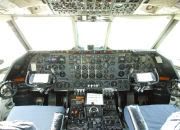
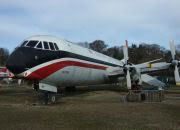
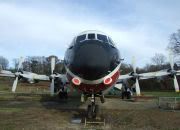
The last surviving and complete Vickers Vanguard....."Superb"
Re: Converting to AI
cheers Tony i will try that......
i have ascending numbers etc, i guess it will be the text...412 etc
here goes..... Coolio
i have ascending numbers etc, i guess it will be the text...412 etc
here goes..... Coolio
-
petermcleland

- Red Arrows

- Posts: 5201
- Joined: 25 Jul 2004, 10:28
- Location: Dartmouth, Devon
- Contact:
Re: Converting to AI
The text in your Ttools Aircraft.txt file MUST contain this in quotes "HC412_Agusta_uk_f1" for the aircraft name...NO ERRORS in that allowed, or it will not show. So that aircraft line in the .txt file will be
AC#?,?,"HC412_Agusta_uk_f1"
The first ? is a number and the one in the FlightPlan.txt file must be the same number...AC#?,
The second ? is its cruising speed...try 120
Don't forget that when you have altered anything, you must recompile it with Ttools.exe and THEN start FS9...You MUST start FS9 after recompiling or the changes will NOT be there till you do.
Edit...I note that you have put a parking code of cag...I imagine that is what you have chosen but I would prefer to see it in Upper Case CAG and make sure it is exactly the same in the Parking "Properties"...BTW mine is GAG for Gate Guard. I suggest you use ST1 etc for Statics. Anything will do as long as it is not an official airline code...They are all listed on the Drop Down arrow for that box...ST1, ST2, ST3 etc will be safe.
AC#?,?,"HC412_Agusta_uk_f1"
The first ? is a number and the one in the FlightPlan.txt file must be the same number...AC#?,
The second ? is its cruising speed...try 120
Don't forget that when you have altered anything, you must recompile it with Ttools.exe and THEN start FS9...You MUST start FS9 after recompiling or the changes will NOT be there till you do.
Edit...I note that you have put a parking code of cag...I imagine that is what you have chosen but I would prefer to see it in Upper Case CAG and make sure it is exactly the same in the Parking "Properties"...BTW mine is GAG for Gate Guard. I suggest you use ST1 etc for Statics. Anything will do as long as it is not an official airline code...They are all listed on the Drop Down arrow for that box...ST1, ST2, ST3 etc will be safe.
Last edited by petermcleland on 19 Feb 2008, 21:34, edited 2 times in total.
Regards,

http://www.petermcleland.com/
Updated 28/8/2007
My Channel
http://www.youtube.com/user/petermcleland?feature=mhee
http://www.petermcleland.com/
Updated 28/8/2007
My Channel
http://www.youtube.com/user/petermcleland?feature=mhee
-
Techy111
- Battle of Britain
- Posts: 3319
- Joined: 15 Aug 2007, 13:51
- Location: Coming out of Retirement.
Re: Converting to AI
Thanks for making that clearer Peter..... 
I knew what i meant but you said it right..... :roll:
Tony
I knew what i meant but you said it right..... :roll:
Tony
The last surviving and complete Vickers Vanguard....."Superb"

Re: Converting to AI
Neil,
You will never get a helicopter to act at AI using its own aircraft.cfg and .air file. You have to kid it on that it is actually a Stemme motor glider. If you go to Avsim and download ai__schweizer_300c_helicopter.zip, this zip contains the .cfg and .air files created by Holger Sandmann and Doug Callihan, which you can use with your own helicopters. If you are not sure of how to do it, send me a PM and I'll email you specific instructions.
I have got loads of helicopters acting as AI; none of them actually take off vertically, but they lift off after about 50 feet and land at about 10 knots forward speed.
John
You will never get a helicopter to act at AI using its own aircraft.cfg and .air file. You have to kid it on that it is actually a Stemme motor glider. If you go to Avsim and download ai__schweizer_300c_helicopter.zip, this zip contains the .cfg and .air files created by Holger Sandmann and Doug Callihan, which you can use with your own helicopters. If you are not sure of how to do it, send me a PM and I'll email you specific instructions.
I have got loads of helicopters acting as AI; none of them actually take off vertically, but they lift off after about 50 feet and land at about 10 knots forward speed.
John
-
petermcleland
- Red Arrows
- Posts: 5201
- Joined: 25 Jul 2004, 10:28
- Location: Dartmouth, Devon
- Contact:
Re: Converting to AI
John,
We weren't actually trying to get this AI to fly...We were only making Static aircraft from working FS models
But yes, if you actually wanted to make an AI helicopter fly, then your route is the only way to go :flying:
One other thing Neil...If your static AI aircraft is still refusung to show, make sure that the Parking you have chosen for it is BIG enough to accept it. If you allocate a GA Small parking slot to a static 747 then it will never show
We weren't actually trying to get this AI to fly...We were only making Static aircraft from working FS models
But yes, if you actually wanted to make an AI helicopter fly, then your route is the only way to go :flying:
One other thing Neil...If your static AI aircraft is still refusung to show, make sure that the Parking you have chosen for it is BIG enough to accept it. If you allocate a GA Small parking slot to a static 747 then it will never show
Regards,
http://www.petermcleland.com/
Updated 28/8/2007
My Channel
http://www.youtube.com/user/petermcleland?feature=mhee
http://www.petermcleland.com/
Updated 28/8/2007
My Channel
http://www.youtube.com/user/petermcleland?feature=mhee
Re: Converting to AI
Hi all..............
what can i say.... bugger..... i still can't get this bell 412 to work as either static or AI.............
i have added a link to the d/l.... i was wondering if anyone with the skill or know how could please have a go at converting it then let me know how rubbish i am lol :prayer: :prayer:
http://64.34.169.161/cgi-bin/ifolio/ima ... mg=&tt=zip
cheers
neil
what can i say.... bugger..... i still can't get this bell 412 to work as either static or AI.............
i have added a link to the d/l.... i was wondering if anyone with the skill or know how could please have a go at converting it then let me know how rubbish i am lol :prayer: :prayer:
http://64.34.169.161/cgi-bin/ifolio/ima ... mg=&tt=zip
cheers
neil
-
petermcleland
- Red Arrows
- Posts: 5201
- Joined: 25 Jul 2004, 10:28
- Location: Dartmouth, Devon
- Contact:
Re: Converting to AI
I can't see where you are going wrong as it is an automatic installer...You did correct the
install address to the right one for your setup?

This is the first of about 28 available in the package.
install address to the right one for your setup?
This is the first of about 28 available in the package.
Regards,
http://www.petermcleland.com/
Updated 28/8/2007
My Channel
http://www.youtube.com/user/petermcleland?feature=mhee
http://www.petermcleland.com/
Updated 28/8/2007
My Channel
http://www.youtube.com/user/petermcleland?feature=mhee
Re: Converting to AI
peter sorry if i came over wrong.....
i have installed and flown the helo...fantastic, its the altering of the a/c cfg to make it static that i can't conquer....
i have followed your instructions to the letter....and still it does not appear!
neil
i have installed and flown the helo...fantastic, its the altering of the a/c cfg to make it static that i can't conquer....
i have followed your instructions to the letter....and still it does not appear!
neil