

Hi all
i just installed some scenery and ai a/c, and all off a sudden i cant talk to or get atc to talk to me, from any airport.....
when i goto press 2 for example saying touch n goes...nothing happens!!
what ould i have done wrong
oh and i have installed some voives with EVP!!
cheers
neil
help...no atc
Moderators: Guru's, The Ministry

Re: help...no atc
Hi Matey,
Sounds like you've over written the original voicepack rather than appending to it. I don't have FS9 anymore, but pretty sure the original will be in one of the cabs on the CD's.
Sounds like you've over written the original voicepack rather than appending to it. I don't have FS9 anymore, but pretty sure the original will be in one of the cabs on the CD's.
Ben.



Re: help...no atc
doh...no idea what im doing but will have a butchers at them
cheers
neil
cheers
neil
Re: help...no atc
I HAVE SEARCHED THE DISKS BUT CANT FIND ANYTHING.....
oops...can anyone point me elsewhere?
neil
oops...can anyone point me elsewhere?
neil
-
Techy111

- Battle of Britain

- Posts: 3319
- Joined: 15 Aug 2007, 13:51
- Location: Coming out of Retirement.
Re: help...no atc
Want me to try and send you it mate......What file is it....any idea.... 
:roll:
Tony
:roll:
Tony
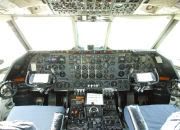
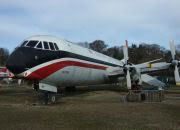
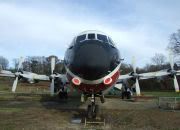
The last surviving and complete Vickers Vanguard....."Superb"
Re: help...no atc
no idea me old, all i know is that i installed some scenery today........
then updated my editvoice pack, now i cant get atc services, so is there anything inthe installed stuff i might need?
or is there a way i can repair fs9
then updated my editvoice pack, now i cant get atc services, so is there anything inthe installed stuff i might need?
or is there a way i can repair fs9
-
DaveG

- The Gurus
- Posts: 8091
- Joined: 23 Jun 2004, 18:05
- Location: in a deep, dark hole somewhere.
- Contact:
Re: help...no atc
From the EVP website help page:
Troubleshooting
Which files does EditVoicepack modify?
EditVoicepack only modifies two files in the Microsoft Flight Simulator: A Century of Flight directory. One is airlines.cfg (see “Making callsigns selectable in Flight Simulator” for details).
The other (and more important) file modified is named usenglishbig.gvp and contains all spoken language used by the ATC, as well as the text displayed in the ATC window. This file can be found in the Sound directory of Microsoft Flight Simulator: A Century of Flight In case you selected the compact installation of Microsoft Flight Simulator: A Century of Flight, the file might be called usenglishsmall.gvp. Localized (translated) versions of Microsoft Flight Simulator: A Century of Flight will have different file names. EditVoicepack is designed to recognize the files in any language; however it has mainly been tested on the English version.
If you do not use the accelerated voicepack usenglishsmall.gvp will be modified directly. If you use the accelerated voicepack the file will be renamed to USEnglishBig.gvp.evpOrg and a new file named Evp_Accelerated.gvp will be created.
In case you experience any problems with the ATC sound in Microsoft Flight Simulator 2004: A Century of Flight please try to restore the original voicepack file from your Microsoft Flight Simulator 2004: A Century of Flight CD number 2. The file is inside the file "MSGame5.cab" for the 10 voice (full) setup, and inside the "MSGame4.cab" file for the three voice (compact) setup. Copy one of these files (do not copy both) to the Sound directory under the Flight Simulator directory. In case the Sound directory contains files named *.evpOrg or Evp_Accelerated.gvp they should be deleted.
Will EditVoicepack work with additional or changed voicepacks?
No, EditVoicepack will only work with the unmodified default voicepacks supplied with Microsoft Flight Simulator: A Century of Flight. If you have manually changed the voicepack using the Microsoft SDK (or any other mean than EditVoicepack) can give one of the following problems:
* EditVoicepack might refuse to load
* EditVoicepack might not be able to complete Update Voicepack
* Update Voicepack might complete, but some of the modifications no longer produce the intended result.
If this happens, please follow the instructions in the section “EditVoicepack won’t start (Microsoft Voicepack damaged)”.
I can no longer select a reply to ATC instructions
This problem will typically occur if you have applied or removed voicepak acceleration. Please chose Settings/ATC in Flight Simulator and ensure you have a pilot voice assigned.
Troubleshooting
Which files does EditVoicepack modify?
EditVoicepack only modifies two files in the Microsoft Flight Simulator: A Century of Flight directory. One is airlines.cfg (see “Making callsigns selectable in Flight Simulator” for details).
The other (and more important) file modified is named usenglishbig.gvp and contains all spoken language used by the ATC, as well as the text displayed in the ATC window. This file can be found in the Sound directory of Microsoft Flight Simulator: A Century of Flight In case you selected the compact installation of Microsoft Flight Simulator: A Century of Flight, the file might be called usenglishsmall.gvp. Localized (translated) versions of Microsoft Flight Simulator: A Century of Flight will have different file names. EditVoicepack is designed to recognize the files in any language; however it has mainly been tested on the English version.
If you do not use the accelerated voicepack usenglishsmall.gvp will be modified directly. If you use the accelerated voicepack the file will be renamed to USEnglishBig.gvp.evpOrg and a new file named Evp_Accelerated.gvp will be created.
In case you experience any problems with the ATC sound in Microsoft Flight Simulator 2004: A Century of Flight please try to restore the original voicepack file from your Microsoft Flight Simulator 2004: A Century of Flight CD number 2. The file is inside the file "MSGame5.cab" for the 10 voice (full) setup, and inside the "MSGame4.cab" file for the three voice (compact) setup. Copy one of these files (do not copy both) to the Sound directory under the Flight Simulator directory. In case the Sound directory contains files named *.evpOrg or Evp_Accelerated.gvp they should be deleted.
Will EditVoicepack work with additional or changed voicepacks?
No, EditVoicepack will only work with the unmodified default voicepacks supplied with Microsoft Flight Simulator: A Century of Flight. If you have manually changed the voicepack using the Microsoft SDK (or any other mean than EditVoicepack) can give one of the following problems:
* EditVoicepack might refuse to load
* EditVoicepack might not be able to complete Update Voicepack
* Update Voicepack might complete, but some of the modifications no longer produce the intended result.
If this happens, please follow the instructions in the section “EditVoicepack won’t start (Microsoft Voicepack damaged)”.
I can no longer select a reply to ATC instructions
This problem will typically occur if you have applied or removed voicepak acceleration. Please chose Settings/ATC in Flight Simulator and ensure you have a pilot voice assigned.
Dave G.
Re: help...no atc
The first thing to do is to check if the USEnglishBig.gvp file is in your sound folder.
If you use EditVoice Pak did you make a backup? If not the original ATC from the install disks is located here:
FS9\Disc2\ MSGAME5.cab\ USEnglishBig.gvp 204,624,020
Extract the file form the CAB and move it to C:\Program Files\Microsoft Games\Flight Simulator 9\Sound (change drive if needed.)
NOTE: If you have made a lot of edits with EditVoice Pak, you will loose them all by doing this
Dave beat me to it!
If you use EditVoice Pak did you make a backup? If not the original ATC from the install disks is located here:
FS9\Disc2\ MSGAME5.cab\ USEnglishBig.gvp 204,624,020
Extract the file form the CAB and move it to C:\Program Files\Microsoft Games\Flight Simulator 9\Sound (change drive if needed.)
NOTE: If you have made a lot of edits with EditVoice Pak, you will loose them all by doing this
Dave beat me to it!
-
petermcleland

- Red Arrows

- Posts: 5201
- Joined: 25 Jul 2004, 10:28
- Location: Dartmouth, Devon
- Contact:
Re: help...no atc
You will probably find that the only thing wrong is that you have not got a Voice selected in ATC...Options > ATC and select a voice from the Drop-down List.
Your new scenery kindly unselected it for you! :brick:
Your new scenery kindly unselected it for you! :brick:
Regards,

http://www.petermcleland.com/
Updated 28/8/2007
My Channel
http://www.youtube.com/user/petermcleland?feature=mhee
http://www.petermcleland.com/
Updated 28/8/2007
My Channel
http://www.youtube.com/user/petermcleland?feature=mhee
Re: help...no atc
i unfortunatly am having no joy here......
thanks for your help as useual gents, bloody machine,
i have tried all you have suggested, but nothing...... i cant even activate the ATIS system, it gives me the option then nothinghappens.... :brick: :brick:
oh well guess it will be a silent flight for a while..... :@
cheers
neil
thanks for your help as useual gents, bloody machine,
i have tried all you have suggested, but nothing...... i cant even activate the ATIS system, it gives me the option then nothinghappens.... :brick: :brick:
oh well guess it will be a silent flight for a while..... :@
cheers
neil