Tony
nHancer..again
Moderators: Guru's, The Ministry
- Techy111
- Battle of Britain

- Posts: 3319
- Joined: 15 Aug 2007, 13:51
- Location: Coming out of Retirement.
Re: nHancer..again
Tony fish around for a GTX8800 mate...you won't look back....glad your sorted...
Tony
Tony
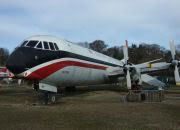
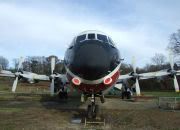
The last surviving and complete Vickers Vanguard....."Superb"


- speedbird591
- Battle of Britain

- Posts: 4038
- Joined: 24 Jun 2004, 05:56
- Location: Wiltshire, UK
- Contact:
Re: nHancer..again
The sharpness of that screenshot reflects what I see on the screen, so in that respect it's realistic. But as you know, when you transfer a screenshot to a picture editor, resize it to 800 width, save and upload it doesn't look nearly as good as it did at the time :roll:
Sooooo .... I utilise some of the settings in Irfanview. I press PrtSc to save the screenshot to the clipboard then paste it into Irfanview and crop it. Then I go to Image/Resize and select 800 pixels width (for posting here). Below that there are two boxes which I tick. Preserve Aspect Ratio and Apply Sharpen After Resize. Below that is another box which allows you to select DPI with a default of 72. I enter 300 then press OK.
Finally File/Save As gives you a box with a slider option of JPEG quality. The default is lower than optimum so I slide the arrow all the way to Good and then Save. It only takes a few seconds when you get used to it and you can see the difference for yourselves. You might say that the final picture isn't a true screenshot but it is closer to what I see on the screen than the normal fuzzy lower quality pic that the default gives you. Here's an example. One picture using Irfanview defaults and one using the above technique.


Ian
Sooooo .... I utilise some of the settings in Irfanview. I press PrtSc to save the screenshot to the clipboard then paste it into Irfanview and crop it. Then I go to Image/Resize and select 800 pixels width (for posting here). Below that there are two boxes which I tick. Preserve Aspect Ratio and Apply Sharpen After Resize. Below that is another box which allows you to select DPI with a default of 72. I enter 300 then press OK.
Finally File/Save As gives you a box with a slider option of JPEG quality. The default is lower than optimum so I slide the arrow all the way to Good and then Save. It only takes a few seconds when you get used to it and you can see the difference for yourselves. You might say that the final picture isn't a true screenshot but it is closer to what I see on the screen than the normal fuzzy lower quality pic that the default gives you. Here's an example. One picture using Irfanview defaults and one using the above technique.


Ian
- Garry Russell
- The Ministry
- Posts: 27180
- Joined: 29 Jan 2005, 00:53
- Location: On the other side of the wall
Re: nHancer..again
Hi Ian
I have an 800 X 600 blank document....zoom out a bit take to take account of the smaller image, cut and past into the document moving it arround to fit and perhaps slightly resizing then export it to Photobucket.
Editing and uploading does not lose quality and nor should it unless you use their auto resizing. It's simple to get it the right size before exporting and as I say zoom out before the screenshot....you re in effect doing the reducion in FS.
Garry
I have an 800 X 600 blank document....zoom out a bit take to take account of the smaller image, cut and past into the document moving it arround to fit and perhaps slightly resizing then export it to Photobucket.
Editing and uploading does not lose quality and nor should it unless you use their auto resizing. It's simple to get it the right size before exporting and as I say zoom out before the screenshot....you re in effect doing the reducion in FS.
Garry
Garry

"In the world of virtual reality things are not always what they seem."

"In the world of virtual reality things are not always what they seem."
- speedbird591
- Battle of Britain

- Posts: 4038
- Joined: 24 Jun 2004, 05:56
- Location: Wiltshire, UK
- Contact:
Re: nHancer..again
Thanks, Garry, I'll try that out. I don't think it'll suit me as few, if any, of my pics are 800x600. My compositions are usually more suited to a panoramic aspect, which is why I prefer to select 800 width and preserve the aspect ratio to decide the height as required.
When you say a blank document of 800x600 - which program do you create it in?
Ian
When you say a blank document of 800x600 - which program do you create it in?
Ian
- forthbridge
- Concorde

- Posts: 1595
- Joined: 29 Aug 2007, 13:26
- Location: Stirlingshire, UK
Re: nHancer..again
DaveB wrote:![]()
![]()
Telling Tony to leave well alone is like telling a kid not to touch something hotLovely crisp shots off your laptop Ian ;-)
ATB
DaveB :tab:
Yup.... never a truer word about many of us...... :roll:
I stuck the latest Nvidia drivers in yesterday, and FS9 started running (or rather juddering) horrendously - never been as bad - so I quickly reverted and all was well again.
As for Ian's screenies... yup, Irfanview is the business for resizing any image to the web - I use over anything else as it's simple and quick. Screens are 1280*1024 BMPs from FSScreen resized and saved as JPEGs with irfanview.
Jim


- Garry Russell
- The Ministry
- Posts: 27180
- Joined: 29 Jan 2005, 00:53
- Location: On the other side of the wall
Re: nHancer..again
H Ian
Make the blank what ever you finished size wants to be......create it as a new document or use an existing one and paste into that.
Doesn't matter what edtor you use.
The point is to start with your finished size in you editor
Garry
Make the blank what ever you finished size wants to be......create it as a new document or use an existing one and paste into that.
Doesn't matter what edtor you use.
The point is to start with your finished size in you editor
Garry
Garry

"In the world of virtual reality things are not always what they seem."

"In the world of virtual reality things are not always what they seem."