
Some forum members will know that I have just begun to learn how to operate Railworks 2 - a train simulator program.
I was not very happy with the framerates (13fps) I was seeing on the screen with this program but I stumbled on a forum and a topic which suggested that using the above program for my Nvidia graphics card might improve the situation. I followed the suggestions laid out in that forum and edited the above program with excellent results (now 24+fps).
The editing program involved getting the Nvidia 3D Control Settings program to first recognise the Railworks 2 program and then changing various entries (Anistropic Filtering etc.; most of the terms listed I have no understanding of since I am somewhat ancient in years and not of the 'computer generation'). Completing the whole routine results in the 3D Control program applying the edited properties only to the Railworks 2 program which one has selected and added to the 3D Control list - the edited 3D list now over-rides any internal game settings for the graphics card and in my case that has resulted in a very much smoother running Railworks 2 program.
The real purpose of this topic is to discover whether any forum member has used the Nvidia 3D control program and edited that program for FS9. I should be very interested to know how to apply that 3D control program to FS9 = Which graphics card control entries should be edited and what are the suggested values for FS9?
Any answers please put these in 'plain language' because i know next to nothing about computers or graphics cards.
My setup is: Pentium(R) 4CPU 3.00GHZ
Windows XP
Nvidia GeForce 6800 Driver 2:6099
3.25 GB XP reads 3.00GB RAM
Applying Nvidia Manage 3D Control Settings to FS9
Moderators: Guru's, The Ministry
-
DaveB

- The Ministry
- Posts: 30457
- Joined: 17 Jun 2004, 20:46
- Location: Pelsall, West Mids, UK
- Contact:
Re: Applying Nvidia Manage 3D Control Settings to FS9
Hi James..
As bad luck would have it.. I was fiddling in the 3D control settings in FS9 only last week. From what I've heard of other users (Jonesey being one).. he never managed to get AA to work with any great success on his Nvidia 8800 and that was the purpose of my fiddle. I'd been unsuccessful before and my alterations last week proved fruitless. What this all boils down to is that some cards work better in one program than they do in others and the 8800 is one such card. While my FS9 is crisp (too crisp!), FSX is excellent. Unfortunately for me, I only use FS9
Other Nvidia cards have worked fine and it wouldn't put me off getting another. I can't fault the speed as even on the highest settings, it goes like the proverbial off a shovel.
ATB
DaveB
As bad luck would have it.. I was fiddling in the 3D control settings in FS9 only last week. From what I've heard of other users (Jonesey being one).. he never managed to get AA to work with any great success on his Nvidia 8800 and that was the purpose of my fiddle. I'd been unsuccessful before and my alterations last week proved fruitless. What this all boils down to is that some cards work better in one program than they do in others and the 8800 is one such card. While my FS9 is crisp (too crisp!), FSX is excellent. Unfortunately for me, I only use FS9
Other Nvidia cards have worked fine and it wouldn't put me off getting another. I can't fault the speed as even on the highest settings, it goes like the proverbial off a shovel.
ATB
DaveB


Old sailors never die.. they just smell that way!

Re: Applying Nvidia Manage 3D Control Settings to FS9
DaveB, James
Like yourself (DaveB) I have an 8800GTX and use the utility and settings shown here. AA and AF work fine with this and the latest WHQL Nvidia drivers.
HTH,
Rgds,
Colin
Like yourself (DaveB) I have an 8800GTX and use the utility and settings shown here. AA and AF work fine with this and the latest WHQL Nvidia drivers.
HTH,
Rgds,
Colin
Rgds,
Colin
Gentleman (n.) Someone who knows how to play the bagpipes, but doesn't
Colin
Gentleman (n.) Someone who knows how to play the bagpipes, but doesn't

Re: Applying Nvidia Manage 3D Control Settings to FS9
This is interesting.I found the same problem with my 7600GS and put it down to a lack of knowledge on my part.Guess I'll go back to setting AA withinFS9.Not the end of the world.  EricT
EricT
EricTNow at the age where I know I like girls but can't remember why!
-
DaveB
- The Ministry
- Posts: 30457
- Joined: 17 Jun 2004, 20:46
- Location: Pelsall, West Mids, UK
- Contact:
Re: Applying Nvidia Manage 3D Control Settings to FS9
Tks for the HU on that Colin
I'm afraid I shy away from the newest drivers for a card now superseded many times over as improvements tend to be for the newer cards in the range.. not the older ones. Interesting that you're seeing good AA from this driver though. I'd willingly sacrifice FSX performance for better AA in FS9 My scenery is fine.. it's the aircraft I don't see so well 
ATB
DaveB
I'm afraid I shy away from the newest drivers for a card now superseded many times over as improvements tend to be for the newer cards in the range.. not the older ones. Interesting that you're seeing good AA from this driver though. I'd willingly sacrifice FSX performance for better AA in FS9
My scenery is fine.. it's the aircraft I don't see so well ATB
DaveB
Old sailors never die.. they just smell that way!
Re: Applying Nvidia Manage 3D Control Settings to FS9
Hi Dave 
I'm like yourself and don't normally chase the 'latest and greatest', but having updated from 175.something these seem fine. YMMV as they say
Rgds,
Colin
I'm like yourself and don't normally chase the 'latest and greatest', but having updated from 175.something these seem fine. YMMV as they say
Rgds,
Colin
Rgds,
Colin
Gentleman (n.) Someone who knows how to play the bagpipes, but doesn't
Colin
Gentleman (n.) Someone who knows how to play the bagpipes, but doesn't
-
DaveB
- The Ministry
- Posts: 30457
- Joined: 17 Jun 2004, 20:46
- Location: Pelsall, West Mids, UK
- Contact:
Re: Applying Nvidia Manage 3D Control Settings to FS9

I'm on 6.14.11.8122. Not sure where that stands in the scheme of things other than that it probably pre-dates the dinosaur
ATB
DaveB
Old sailors never die.. they just smell that way!
Re: Applying Nvidia Manage 3D Control Settings to FS9
Ah well, there's your problem....you're using black and white drivers
Rgds,
Colin
Gentleman (n.) Someone who knows how to play the bagpipes, but doesn't
Colin
Gentleman (n.) Someone who knows how to play the bagpipes, but doesn't
-
Techy111

- Battle of Britain

- Posts: 3319
- Joined: 15 Aug 2007, 13:51
- Location: Coming out of Retirement.
Re: Applying Nvidia Manage 3D Control Settings to FS9
Hmmmm age old problem this......I see my A/C in FS9 crisp and clear...my scenery is the problem.....takes ages to update and is always adjusting even when i get close to hills and the like
I have a 8800 Ultra this makes FSX fly but FS9 is still a bit quirky....dunno why...?
Slowly rebuilding my pc...still got no sound and waiting for my Q6600 quad to arrive...
Tony
I have a 8800 Ultra this makes FSX fly but FS9 is still a bit quirky....dunno why...?
Slowly rebuilding my pc...still got no sound and waiting for my Q6600 quad to arrive...
Tony
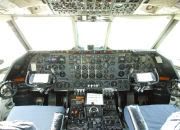
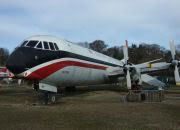
The last surviving and complete Vickers Vanguard....."Superb"
-
tonymadge
- Vintage Pair

- Posts: 2082
- Joined: 28 Jun 2004, 14:49
- Location: middle earth next to the public toilet
- Contact:
Re: Applying Nvidia Manage 3D Control Settings to FS9
Simples nHancer then set AA on in FS9 itself, works a treat for me I get a max of 60fps
without nHnacer I get anything upto 400fps but crap quality.
40 fps is more than enough
without nHnacer I get anything upto 400fps but crap quality.
40 fps is more than enough
AMD Phenom II X4 BE 965 @ 3.80GHz
nVidia GTX 560 TI 448 Cores