Adobe/Tantris AI... 56k stay away!
Moderators: Guru's, The Ministry

-
Charlie Bravo

- Concorde

- Posts: 1110
- Joined: 27 Jun 2004, 12:03
- Location: STN/EGSS
-
First Choice 542

- Chipmunk

- Posts: 48
- Joined: 13 May 2006, 19:22
- Location: Manchester UK
- Contact:
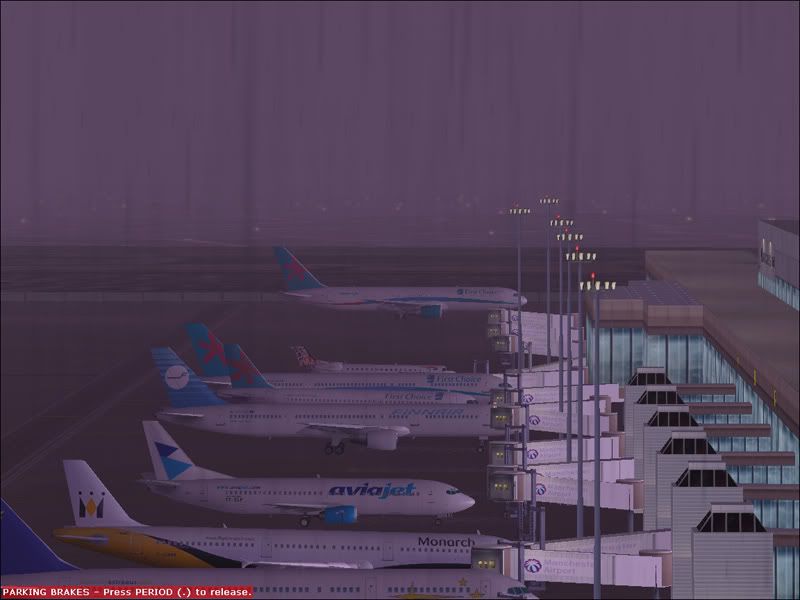
First of all i would like to say that this is the best Traffic Package i have seen for FS, i have my traffic setting set at 15% and i still get full terminals at EGCC, with hardly any noticable frame rate loss  ....cooool.......Question: Has anybody actually seen any birds.......ive not seen any yrt, and im quite upset about it... :-({|= ...lol, I WANT TO SEE BIRDS :axe:
....cooool.......Question: Has anybody actually seen any birds.......ive not seen any yrt, and im quite upset about it... :-({|= ...lol, I WANT TO SEE BIRDS :axe:-
petermcleland

- Red Arrows

- Posts: 5201
- Joined: 25 Jul 2004, 10:28
- Location: Dartmouth, Devon
- Contact:
Yes I've seen the Birds and I intend to import them into McLeland Field...I will make them arrive and depart on Mountain Lake and Situk Lake and if I can arrange it as I plan, then they should be an additional hazard on approach to runway 13...but not if you are ON the glideslope :dance:First Choice 542 wrote:First of all i would like to say that this is the best Traffic Package i have seen for FS, i have my traffic setting set at 15% and i still get full terminals at EGCC, with hardly any noticable frame rate loss
I will explain how you can see the Birds if you have AFCAD2.21 installed:-
1. Start FS9 with any floatplane as your user aircraft.
2. Drop it onto the Taskbar with Alt+Tab.
3. Start AFCAD2.21 and click the yellow open folder icon at the extreme left...Let it do its Airport Search and the type into the Airport ID box "DOC1" without the quotes.
4. Click on DOC1 in the bottom window to highlight it and then click OK.
5.You will now see an AFCAD file showing some parking and taxi lines...Place your mouse pointer near some parking and Right Click.
6. In the menu that appears, click on "Jump Here"...in a few moments a Red Cross should appear near your pointer.
7. Click on the Flight Simulator icon on the Taskbar to bring it back and your floatplane will be on a lake...you may need to press Y to UN-SLEW.
8. You now need to go World > Time and Season and adjust the GMT time to any of the following to see Bird Departures:
22:30
23:00
23:30
23:59
If you have TrafficTools then go Tools > TrafficTools > Explorer and drop FS9 back onto the taskbar...You will now see the Traffic window and look at the aircraft list towards the left side...Your birds are called SS-CC, SS-GH, SS-ND and SS-HN...You can now right click on one of those and then left click "View"...Bring back FS9 and you will be in Spot View on your birds...to get back to your floatplane key "S"

Regards,

http://www.petermcleland.com/
Updated 28/8/2007
My Channel
http://www.youtube.com/user/petermcleland?feature=mhee
http://www.petermcleland.com/
Updated 28/8/2007
My Channel
http://www.youtube.com/user/petermcleland?feature=mhee
-
First Choice 542
- Chipmunk
- Posts: 48
- Joined: 13 May 2006, 19:22
- Location: Manchester UK
- Contact:
-
Charlie Bravo
- Concorde
- Posts: 1110
- Joined: 27 Jun 2004, 12:03
- Location: STN/EGSS
Thought you would like it!First Choice 542 wrote:First of all i would like to say that this is the best Traffic Package i have seen for FS, i have my traffic setting set at 15% and i still get full terminals at EGCC, with hardly any noticable frame rate loss
Onwards and Upwards!!!!!!!!

Jetty!
If God had of meant us to fly, he would have given us wings! He did, it's called an aeroplane!
Jetty!
If God had of meant us to fly, he would have given us wings! He did, it's called an aeroplane!
-
First Choice 542
- Chipmunk
- Posts: 48
- Joined: 13 May 2006, 19:22
- Location: Manchester UK
- Contact: