
It seems Lars has been busy again... New beta of EditVoicepackX (for FSX users only) available here...
http://www.fsonline.dk/en/index.php?title=EditVoicepack
You will need Microsoft .Net Framework 3.5 SP1 available here...
http://www.microsoft.com/downloads/deta ... da479ab0d7
For those of you unfimiliar with this, its still available (freeware) for FS9 and was one of the "Must Have" addons. It adds correct ICAO terminology, and an extensive callsign / manufacturer / type list to your ATC in flightsim. Simply install .net 3.5 SP1 (or later), install the app and run. (Make sure FS is not running first) Once you run the App, click on "file" select "Update Voicepack" and I'd recommend taking the defaults. After a few minutes your good to go. Note that this does not need run each time you start FS.
Lets say we wanted the VC10 C1k to use one of its regular callsigns, simply change the atc_airline= variable in the aircraft.cfg file to one of the values listed in the voicepack programe... e.g. ASCOT and your sorted. Same goes for atc_type= and atc_model=
EditVoicePack - update
Moderators: Guru's, The Ministry


Re: EditVoicePack - update
Thanks for that. EVP has been a staple on my system for years.
So much so that I took the FS9 EVP file and put it directly into FSX... And it worked! Nice to have a new native FSX version though. I'll be giving that a whirl some time soon.
It's great being at an airport and hearing things like "Bealine 511 you are cleared for take-off." and then something incongruous like "Hold position Easy 288, Hawker Siddeley Argosy on the runway."
 CHEERS
So much so that I took the FS9 EVP file and put it directly into FSX... And it worked! Nice to have a new native FSX version though. I'll be giving that a whirl some time soon.
It's great being at an airport and hearing things like "Bealine 511 you are cleared for take-off." and then something incongruous like "Hold position Easy 288, Hawker Siddeley Argosy on the runway."
 CHEERS
-
DispatchDragon

- Battle of Britain

- Posts: 4925
- Joined: 23 Feb 2005, 01:18
- Location: On the corner of walk and dont walk somewhere on US1
- Contact:
Re: EditVoicePack - update
I swear by EVP , However since I started using Vista it has been reluctant to work -- I keep getting a "cant find.....xyz " Ive reloaded it several times with no
avail so at the moment Im slightl restricted on callsigns and place names...which is a bit of a pain as John Hinson did a couple of three custom evps for us...including the Rearsby and Oban ones.....as well as the VAs callsign!1
Leif
avail so at the moment Im slightl restricted on callsigns and place names...which is a bit of a pain as John Hinson did a couple of three custom evps for us...including the Rearsby and Oban ones.....as well as the VAs callsign!1
Leif
Re: EditVoicePack - update
Hi Leif,
Have you tried right clicking on the program file, selecting properties and clicking on the "Windows XP compatibility mode". Also in Vista make sure you have the latest .net framework as there were a few updates.
Have you tried right clicking on the program file, selecting properties and clicking on the "Windows XP compatibility mode". Also in Vista make sure you have the latest .net framework as there were a few updates.
Ben.



-
Techy111

- Battle of Britain
- Posts: 3319
- Joined: 15 Aug 2007, 13:51
- Location: Coming out of Retirement.
Re: EditVoicePack - update
Ben....how can you tell which callsigns are loaded....Could not get "Jetset" to work...?
Tony
Tony
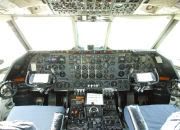
The last surviving and complete Vickers Vanguard....."Superb"


-
Garry Russell

- The Ministry
- Posts: 27180
- Joined: 29 Jan 2005, 00:53
- Location: On the other side of the wall
Re: EditVoicePack - update
I might be wrong 
But I thought the name had to be all in upper case :think:
Garry
But I thought the name had to be all in upper case :think:
Garry
Garry

"In the world of virtual reality things are not always what they seem."
"In the world of virtual reality things are not always what they seem."
-
Tako_Kichi

- Concorde

- Posts: 1681
- Joined: 12 Oct 2007, 19:39
- Location: SW Ontario, Canada (ex-pat Brit)
Re: EditVoicePack - update
I have been using EVP in FSX for a long time now (the FS9 version obviously) but I can't seem to find the FSX version at the link above. It seems to link to a 'wiki' style page with download links for the FS9 version but not the FSX version. 
Larry
Re: EditVoicePack - update
Hi Larry... if you read the wiki page, in the bit below where it tells you about the FS9 version is a hyperlink that says download... thats the one your after.
Tony, if you open up EVP program, in the tree structure, for FSX, expand the bit that says community mods (or something like that, I'm not in front of it at the moment) then expand the callsigns bit, then Europe, then UK, it will show you all the listed ones. You need to type the name into atc_airline= as it appears in that list, its not case sensitve.
On the FS9 one, the callsigns aren't under the community modification bit, but under the standard callsigns. Sorry the terminology is all wrong, but if you expand the tree structure you'll see what I mean ;-)
Tony, if you open up EVP program, in the tree structure, for FSX, expand the bit that says community mods (or something like that, I'm not in front of it at the moment) then expand the callsigns bit, then Europe, then UK, it will show you all the listed ones. You need to type the name into atc_airline= as it appears in that list, its not case sensitve.
On the FS9 one, the callsigns aren't under the community modification bit, but under the standard callsigns. Sorry the terminology is all wrong, but if you expand the tree structure you'll see what I mean ;-)
Ben.
-
Techy111
- Battle of Britain
- Posts: 3319
- Joined: 15 Aug 2007, 13:51
- Location: Coming out of Retirement.
Re: EditVoicePack - update
Thats what i thought Ben...? I put Jetset in but it comes out with SET and says it S E T....???
And i sorted the old man Larry (wheres my glasses) out..... :brick:

Tony
And i sorted the old man Larry (wheres my glasses) out..... :brick:
Tony
The last surviving and complete Vickers Vanguard....."Superb"
-
Tako_Kichi
- Concorde
- Posts: 1681
- Joined: 12 Oct 2007, 19:39
- Location: SW Ontario, Canada (ex-pat Brit)
Re: EditVoicePack - update
I misunderstood that it was a BETA release and was looking for a finished DL link! :roll: 
Larry